
3 minutes reading time
Updated 09 Aug 2025
If you're a big android nerd in 2025, using a rooted android. You might assume root just straight up means unlimited access. You fire up your adb or a root shell if you are feeling fancy while your device is locked, try to list out some things from /data/data and see cyptic shit..
Here's what going on..
Modern android devices especially since android 10 and above applies FBE. When your screen is locked, certain folders especially app data remain encrypted using a key that is only available after you unlock the screen. So even if you're root, even if you're in ADB shell, even if you mount /data — you won't see the real data. Instead, you'll see files and folders that:
This is the result while accessing /data/data in a locked device
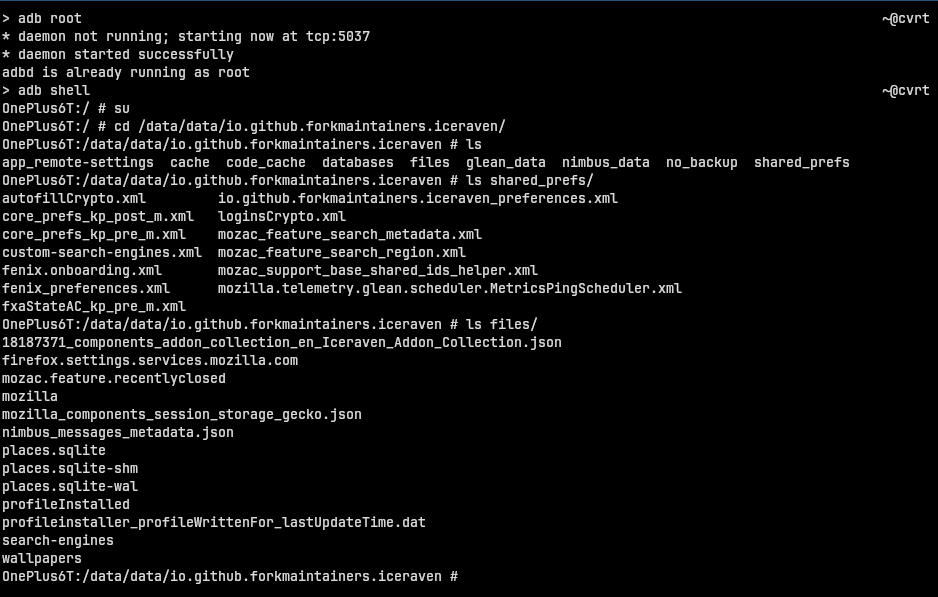
This is the result while accessing /data/data in an unlocked device (used iceraven-browser for example)
/sdcard/ or data/media/0/ these locations are device-encrypted only. It means you can access them even when the screen is locked. They generally don't contain sensitive app data, most apps store their sensitive data in data/data .
(not sure, if you can get it to work totally)
/data/data/(appname) to /data/media/0/(appbackup)(well, this is not real-time access stuff, its a cache of data when unlocked)Android uses fscrypt, the Linux kernel feature than enables FBE:
(for basic understanding of CE keys and DE keys)
| Key Type | Unlock Time | Access Level | Example Uses |
|---|---|---|---|
| CE Key | After user unlocks | usr-specific/pvt | messages, app datas |
| DE Key | Immediately after boot | device-wide/public | incoming calls and lock screen notis |
/data/data/ are tied to CE are still visible with ls, but unreadadble (cat,grep)becuz they are encrypted, After unlocking you can make them readable because the CE keys get finally loaded.